Telegram in Russia is not just a messenger, but a work tool. Over 85 million active users daily communicate, coordinate tasks, and exchange files specifically in Telegram. The logical question: why switch to another app for task management when you can do it right in Telegram?
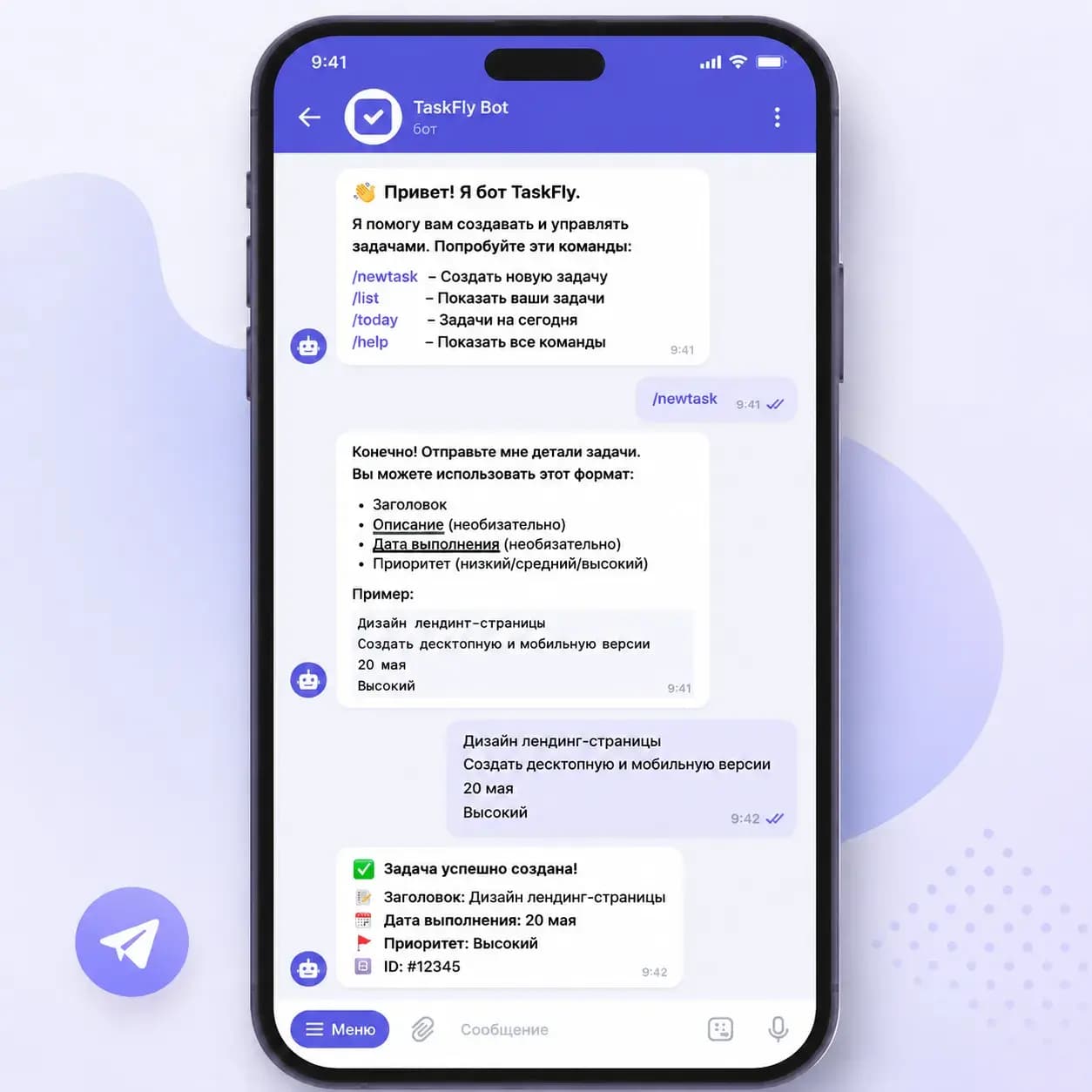
What the TaskFly Telegram Bot Can Do
The @taskfly_bot is a full-fledged interface to TaskFly right in Telegram. Here's what it can do: create tasks via text and voice, view task lists, mark completion, deadline notifications, quick actions via inline buttons. You don't need to open a browser or download an app — everything works in the familiar messenger.
Getting started with the bot is very easy — open @taskfly_bot in Telegram and press 'Start'. After linking your TaskFly account, the bot becomes your personal assistant: create tasks by voice and text, receive deadline notifications, and manage projects — all right in the chat.
Creating Tasks by Voice via Telegram
The most popular scenario is voice task input. Send a voice message to the bot, and AI will recognize speech, extract the task essence, determine priority and deadline. Especially convenient in situations when typing isn't possible: while driving, walking, or between meetings.
Bot Commands: Quick Actions
For those who prefer text commands, the bot supports a simple set of actions. Type /add and the task text — the task will be created instantly. The /tasks command shows a list of active tasks with control buttons. Use /done to mark a task as completed without leaving the chat.
- /add [task] — create a task with text
- /tasks — view list of active tasks
- /done — mark a task as completed
- Voice message — AI will create a task from voice
- Photo — AI will extract text and create tasks
Deadline Notifications: Never Miss a Task
TaskFly sends deadline reminders directly to Telegram. The morning notification shows today's tasks. An hour before the deadline, a follow-up reminder arrives. Overdue tasks are highlighted separately. You always know what needs to be done right now — without having to open a separate app.
Link your Telegram account in TaskFly settings in 30 seconds: Settings → Integrations → Telegram → Connect. The bot will start sending notifications immediately.

Mobile Productivity: Work from Any Location
The TaskFly Telegram bot solves the main problem of mobile productivity — context switching. You're already in Telegram, discussing a task with a colleague — and immediately create it in the bot. No need to switch between apps, no need to remember what you wanted to write down. Thought → voice message → task — in 10 seconds.
Average time to create a task via the TaskFly Telegram bot — 10 seconds. Via web interface — 45 seconds. A 4.5x difference.
How to Connect the TaskFly Telegram Bot
Connection takes less than a minute. Open Settings in TaskFly, go to 'Integrations' and click 'Connect Telegram'. You'll receive a link to bind your account. Follow the link, confirm the binding in the bot — and you're done. From this moment, you can create tasks by voice and text, receive notifications, and manage tasks without leaving Telegram.
The TaskFly Telegram bot is a bridge between the familiar messenger and professional task management. You don't need to make your team learn a new app — everyone is already on Telegram. Connect the bot, and your team can create, view, and close tasks right from the chat. This is the lowest entry threshold among all task management tools on the Russian market.